


Mechanical keyboards have become much more than basic computer accessories. For many enthusiasts, they offer an opportunity to personalize the way a keyboard looks, sounds, and feels.
One feature that has attracted particular attention is hot-swappable switches.
Traditionally, replacing switches on many mechanical keyboards required soldering equipment and technical experience. Hot-swappable designs make the process more accessible by allowing compatible switches to be removed and replaced without soldering.
But what does hot-swappable actually mean? Can you use any switch you want? And is the feature worth paying extra for?
Whether you’re upgrading your first mechanical keyboard or exploring a more customizable setup, understanding hot-swap technology can help you avoid compatibility problems and unnecessary spending.
What Is a Hot-Swappable Mechanical Keyboard?
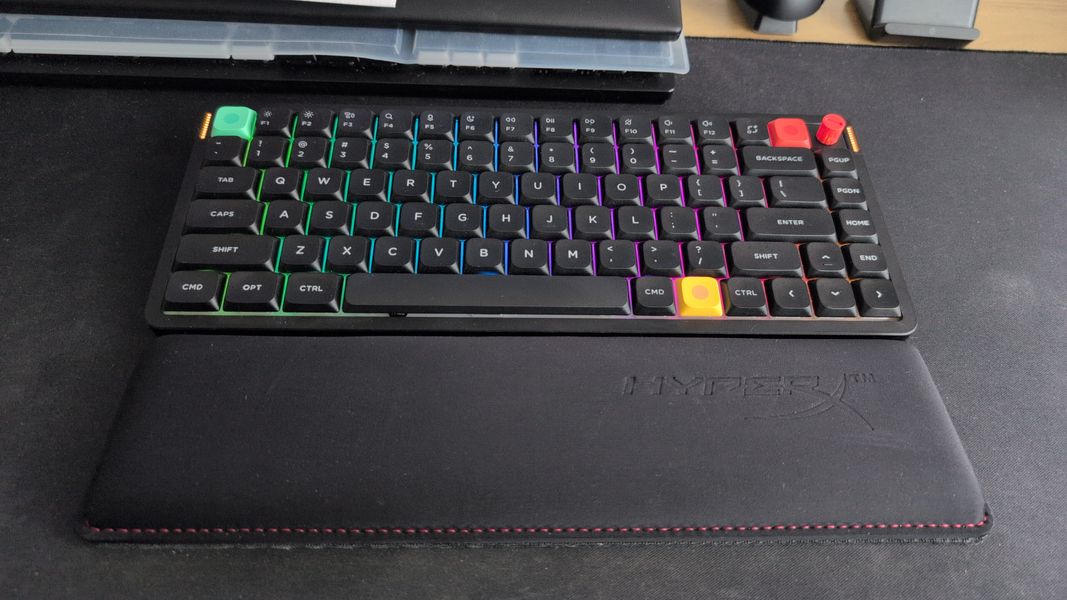
A hot-swappable mechanical keyboard uses specialized sockets that allow individual switches to be installed and removed without soldering them directly to the circuit board.
In a conventional soldered keyboard, switch pins are attached to the printed circuit board (PCB) through solder joints. Replacing a switch typically requires desoldering the existing component before installing another.
Hot-swappable keyboards replace that permanent connection with sockets designed to accept compatible switch pins.
This makes it possible to change the typing feel of a keyboard without replacing the entire device.
For example, someone who originally chooses tactile switches might later decide to experiment with linear switches. On a compatible hot-swappable keyboard, the change can be made using a switch puller and replacement switches.
When choosing a mechanical keyboard, hot-swap support is therefore worth considering alongside layout, switch type, connectivity, and overall construction.
However, the term doesn’t mean that every component is interchangeable. Hot-swap functionality primarily refers to the switch connection mechanism, and compatibility still depends on the keyboard’s specific design.
Why Do People Choose Hot-Swappable Keyboards?
The biggest attraction of hot-swappable keyboards is flexibility.
Buying a mechanical keyboard involves choosing a particular typing experience. But preferences often change after several months of use.
A switch that initially feels satisfying might eventually seem too heavy, too light, or too noisy.
With a soldered keyboard, experimenting with different switches can require specialized tools or purchasing another device. A hot-swappable model makes it easier to try alternatives.
This can be useful for several reasons.
Experimenting with typing feel: Users can compare linear, tactile, and compatible specialty switches without committing to one option permanently.
Replacing individual switches: If a switch develops a fault, a compatible replacement may restore the affected key without replacing the keyboard.
Adjusting typing sound: Different switches can change the acoustic character of a keyboard, although other components also contribute to the sound.
Personalizing specific keys: Some enthusiasts use switches with different characteristics on selected keys, such as a heavier switch for the spacebar.
These possibilities help explain why hot-swappable keyboards appeal to people interested in customizing their computer setups.
Still, flexibility is only valuable when it matches how the keyboard will actually be used.
Are All Mechanical Keyboard Switches Interchangeable?
One of the most common misconceptions about hot-swappable keyboards is that every mechanical switch will fit every hot-swappable keyboard.
Unfortunately, compatibility isn’t that simple.
Mechanical switches come in different physical designs, electrical configurations, and mounting systems.
Many conventional mechanical keyboards use MX-style switches, but even within this category, buyers need to check socket compatibility.
Different switch technologies, including optical and magnetic switches, may use entirely different sensing methods and circuit board designs.
A keyboard designed for one switch system cannot automatically accommodate another.
Before purchasing replacement switches, check the manufacturer’s specifications for supported switch types.
It’s also worth verifying whether the keyboard uses standard switch dimensions or a more specialized design.
Hot-swappable technology makes replacing switches easier, but it doesn’t eliminate compatibility requirements.
Understanding 3-Pin and 5-Pin Mechanical Switches
Among conventional MX-style mechanical switches, two common mounting configurations are known as 3-pin and 5-pin.
A typical 3-pin switch has two metal electrical contacts and one central plastic mounting post.
A 5-pin switch adds two plastic alignment legs, which can provide additional positioning support when used with a compatible PCB.
Some keyboard PCBs support both configurations, while others have holes or sockets arranged for only one type.
The distinction matters when buying replacement switches.
A keyboard with a compatible 5-pin PCB can generally accommodate standard 3-pin MX-style switches, provided the remaining specifications match.
However, a 5-pin switch may not fit a PCB that lacks holes for the additional alignment legs.
It’s best to confirm compatibility rather than assuming that a switch will fit based only on its appearance.
Modifying switches to force compatibility can risk damaging components or affecting their stability.
What About Low-Profile Mechanical Keyboards?
Low-profile mechanical keyboards introduce another important compatibility consideration.
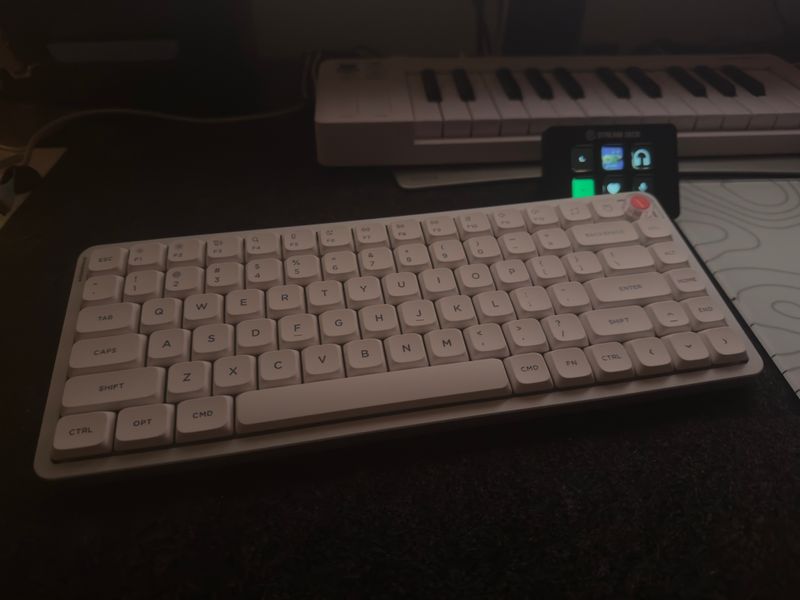
These keyboards typically use shorter switches and slimmer keycaps than traditional mechanical designs, resulting in a thinner overall construction.
The shorter switch design can create a different typing experience, particularly for people accustomed to laptop keyboards.
However, low-profile switches are not necessarily interchangeable with standard MX-style switches.
They may differ in physical dimensions, electrical contacts, mounting mechanisms, and keycap compatibility.
Even switches from different low-profile product families may not be compatible with one another.
For users considering Low Profile Keyboards, it’s important to look beyond whether a model is described as hot-swappable.
Check exactly which replacement switches the keyboard supports and whether compatible alternatives are readily available.
This becomes especially important for anyone planning to customize a low-profile keyboard over time.
A thinner keyboard can offer practical advantages in portability and appearance, but its customization options should be evaluated separately.
Are Magnetic and Optical Switches Hot-Swappable Too?
Mechanical keyboard technology continues to evolve, and conventional metal-contact switches are no longer the only option.
Optical keyboards use light-based sensing methods to detect key movement, while magnetic keyboards commonly use Hall-effect sensors to measure changes in a magnetic field.
Some products built around these technologies support replaceable switches.
However, compatibility is usually limited to specific switch families or supported designs.
A conventional mechanical switch cannot simply be installed in an optical keyboard and expected to work.
Likewise, magnetic switches require compatible electronics and firmware. Being physically able to insert a component doesn’t mean the keyboard can detect it correctly.
This is particularly relevant because magnetic keyboards are increasingly associated with gaming features such as adjustable actuation points and rapid-trigger functionality.
These features are associated with the keyboard’s sensing technology and firmware, not simply the ability to replace switches.
Consumers should distinguish between switch replacement convenience and advanced switch sensing features when evaluating specifications.
How Switch Types Change the Typing Experience
One of the most enjoyable aspects of a hot-swappable keyboard is the ability to explore different switch characteristics.
Mechanical switches are commonly grouped into three categories.
Linear Switches
Linear switches provide relatively smooth movement throughout the keystroke without a pronounced tactile bump.
They often appeal to people who prefer consistent movement and a relatively uninterrupted keypress.
However, linear switches vary in actuation force, spring weight, and travel distance, so two linear models may feel quite different.
Tactile Switches
Tactile switches create a noticeable bump during the keypress.
This physical feedback can make typing feel more defined for users who enjoy sensing the actuation point.
The strength and position of the bump vary between switch designs.
Clicky Switches
Clicky switches produce a distinct audible response alongside the keypress.
Some enthusiasts enjoy this pronounced feedback, although it may be less suitable for shared offices or quiet environments.
Hot-swappable keyboards allow users to explore these categories more conveniently, provided the switches are compatible.
However, switch preference remains subjective. No single switch type guarantees faster typing, better gaming performance, or greater comfort for everyone.
Can Hot-Swapping Change How a Keyboard Sounds?
Sound is an important part of the mechanical keyboard experience.
Typing enthusiasts often describe keyboards using terms such as deep, muted, crisp, or clacky.
Although these descriptions are subjective, they reflect noticeable differences in acoustic character.
Switch choice contributes to those differences.
Some switches produce more audible feedback, while others are designed to reduce certain mechanical noises.
However, replacing switches doesn’t necessarily transform the entire sound profile of a keyboard.
The case material, plate, mounting structure, keycaps, internal dampening, and desk surface also influence what users hear.
For example, two keyboards using identical switches can still sound noticeably different because of their construction.
Hot-swapping provides a convenient way to experiment with one major component, but it should not be treated as a guaranteed method for producing a particular sound.
The best approach is to think of switch selection as one part of a larger acoustic system.
Switches Aren’t the Only Part You Can Customize
Although hot-swappable switches receive most of the attention, many mechanical keyboard enthusiasts also customize keycaps.
Keycaps influence both appearance and typing feel.
Different materials, profiles, textures, and colors can make a keyboard feel surprisingly different even when the switches remain unchanged.
PBT keycaps are often associated with a more textured finish and resistance to surface shine, while ABS keycaps are available in a wide variety of designs and finishes.
Keycap profiles also vary in height and shape.
Some are relatively flat, while others use sculpted rows that create a different finger position across the keyboard.
However, keycap compatibility requires attention to more than appearance.
Buyers should verify the stem design, key sizes, stabilizer requirements, and keyboard layout.
Low-profile keyboards may require specialized keycaps that differ from traditional mechanical designs.
Hot-swappable switches and replaceable keycaps can provide complementary customization options, but neither guarantees universal component compatibility.
Does Keyboard Layout Affect Customization?
Keyboard layout determines how many keys are available and how they’re arranged.
Full-size keyboards provide extensive key access, including a number pad, while compact layouts reduce the keyboard’s physical footprint.
Tenkeyless models remove the number pad without significantly changing the remaining keys.
A 75% keyboard usually retains the function row and arrow keys in a compressed arrangement.
A 65% keyboard typically removes the dedicated function row while keeping arrow keys.
Layout selection can affect customization in several ways.
First, different layouts may require specific keycap sizes. Certain compact keyboards use nonstandard modifiers or shorter right Shift keys.
Second, the number of switches needed for a complete replacement varies by layout.
Finally, some compact keyboards rely more heavily on programmable layers and shortcuts.
While these software features are separate from hot-swapping, they can influence how customizable the overall keyboard feels.
A buyer interested in extensive personalization should consider both physical component compatibility and software functionality.
How to Replace Switches Without Damaging Your Keyboard
Hot-swappable switches are designed to be replaceable, but the process still requires care.
The first step is to confirm that the keyboard supports hot-swapping and that the replacement switches are compatible.
Next, disconnect the keyboard from power and turn it off before handling internal components.
Remove the keycap using a suitable keycap puller. Once the switch is exposed, use an appropriate switch puller to release its retaining clips and remove it gently.
Avoid twisting or forcing the switch, as excessive pressure can damage its housing or the socket underneath.
Before installing the replacement, check that its electrical pins are straight and correctly aligned with the socket.
A bent pin can prevent proper installation and may damage the connection if excessive force is applied.
Once the replacement switch is installed, reconnect the keyboard and test the key to confirm that it registers correctly.
If a switch doesn’t work, disconnect the keyboard again and inspect the installation rather than repeatedly pressing or forcing the component.
Always follow the manufacturer’s instructions, particularly when dealing with specialized low-profile or magnetic switch systems.
Do Hot-Swappable Keyboards Last Longer?
Hot-swappable keyboards can offer certain maintenance advantages, but they are not automatically more durable than soldered keyboards.
One benefit is the possibility of replacing an individual faulty switch without soldering.
This may reduce the need for extensive repairs when the problem is limited to a replaceable switch.
However, hot-swap sockets themselves can wear or become damaged.
Repeated switch removal, misaligned pins, and excessive installation force can affect the socket or its connection to the PCB.
The overall durability of a keyboard also depends on component quality, construction, environmental conditions, and maintenance.
Some users may never replace a switch during the entire life of their keyboard.
Others may enjoy experimenting with several configurations.
Therefore, hot-swap functionality is best understood as a feature that improves serviceability and flexibility under suitable conditions, not a guarantee of longer product life.
Is a Hot-Swappable Keyboard Worth the Extra Cost?
Whether hot-swap functionality is worth paying for depends on how much flexibility you want.
For someone who already knows their preferred switch type and has little interest in customization, a well-built soldered keyboard may provide everything needed.
On the other hand, a hot-swappable keyboard can be appealing to anyone who wants to experiment with different typing experiences.
It may also provide a convenient option for replacing compatible faulty switches.
However, the financial equation should include more than the keyboard’s initial price.
Replacement switches, additional keycaps, tools, and other accessories can increase the total cost of ownership.
Customization can become an enjoyable hobby, but it is not necessarily a money-saving activity.
For many buyers, the practical value of hot-swapping is the freedom to change preferences without immediately replacing the keyboard.
That flexibility may be worth the additional expense, even if the feature is used only occasionally.
What Should You Check Before Buying a Hot-Swappable Keyboard?
Before purchasing, start with the keyboard’s intended use.
A keyboard used mainly for writing may require different features from one intended for competitive gaming or general entertainment.
Next, consider the typing feel you prefer and whether the available switches match it.
Compatibility deserves particular attention.
When comparing keyboard manufacturers such as NuPhy, look at the specifications of each individual model rather than assuming that every keyboard from the same brand supports identical switches or customization options.
A practical buying checklist should cover several questions:
- Does the keyboard support hot-swappable switches?
- Which switch families and pin configurations are compatible?
- Are replacement switches readily available?
- Does the keyboard use standard or low-profile switches?
- Will the desired keycaps fit its layout and switch stems?
- Does it support the required operating system and connection methods?
- Are key remapping and firmware customization available?
- What warranty conditions apply to user-replaced components?
These questions can prevent common purchasing mistakes.
For enthusiasts who expect to experiment with switches, confirmed compatibility should take priority over broad marketing descriptions.
Common Hot-Swap Keyboard Mistakes to Avoid
Even experienced keyboard users can encounter problems when changing components.
One common mistake is assuming that a switch will fit simply because it looks similar to the original.
Another is purchasing replacement keycaps without checking the layout and stabilizer requirements.
Some buyers also overlook the difference between standard and low-profile switch systems.
Attempting to install incompatible components can damage sockets, bend pins, or leave keys unable to register.
It’s also easy to focus too heavily on customization features while ignoring everyday usability.
A keyboard with extensive switch options may still be inconvenient if its layout lacks frequently used keys or its wireless connection doesn’t suit your devices.
Finally, buyers should avoid treating hot-swapping as a performance upgrade by itself.
Changing switches can alter the typing feel and, in some cases, switch actuation characteristics. It doesn’t automatically improve the keyboard’s electronic latency or processing capabilities.
Successful customization starts with understanding what each component actually changes.
Final Thoughts
Hot-swappable mechanical keyboards make keyboard customization more accessible.
They allow users to replace compatible switches without soldering, explore different typing sensations, and potentially simplify certain repairs.
However, hot-swappable doesn’t mean universally compatible.
Switch dimensions, socket design, keycap requirements, and the keyboard’s underlying technology all determine which components can be changed.
For anyone interested in mechanical keyboards, the most valuable approach is to understand these limitations before buying replacement parts.
A thoughtfully selected hot-swappable keyboard can provide an enjoyable balance between everyday usability and long-term flexibility.
And for people who see their keyboard as something worth personalizing, that ability to experiment may be the feature that matters most.